Epson
Table of Contents
ToggleFind cartridges
Popular Epson Ink Cartridges
Popular Epson Printers
Epson Cartridges by printer series
Epson Printer Ink Cartridges
Find reliable and affordable Epson printer ink cartridges for a wide range of Epson printers at Cynopack. Whether you print everyday documents, schoolwork, business reports or colour images, choosing the correct cartridge helps you achieve consistent results without paying more than necessary.
Our range includes compatible Epson ink cartridges in individual colours and convenient multipacks. You can search by your Epson printer model or cartridge number to find the correct ink for your machine.
Affordable Compatible Epson Ink Cartridges
Cynopack compatible Epson ink cartridges provide a cost-effective alternative to original Epson cartridges. They are manufactured for use with the corresponding Epson printer models and cartridge numbers, making them a practical choice for homes, students and small businesses.
Depending on the cartridge range, you can choose from:
- Individual black, cyan, magenta and yellow cartridges
- Complete four-colour multipacks
- Standard-capacity cartridges
- High-capacity XL cartridges
- Single black cartridges for frequent document printing
Before ordering, check the complete model number of your printer and compare it with the compatibility list shown on the product page.
Find the Correct Ink for Your Epson Printer
Epson manufactures several printer families, and each range can require a different type of ink. A cartridge designed for one Epson XP printer will not necessarily fit another XP model, even when the printers look similar.
The safest way to find the correct product is to check:
- The full printer model, such as Epson Expression Home XP-102
- The cartridge number currently installed in the printer
- The compatibility list on the Cynopack product page
- The identifying name or image associated with the cartridge family
You can usually find the printer model on the front of the machine or on a label at the back. Cartridge numbers are printed on the installed cartridges and may also appear in your printer manual.
Epson Expression Home Ink Cartridges
Epson Expression Home printers are commonly used for everyday printing, scanning and copying. Different Expression Home models use different ink families, so it is important to search using the complete printer number.
Cynopack offers compatible cartridges for selected Epson Expression Home printers, including individual replacement colours and multipacks.
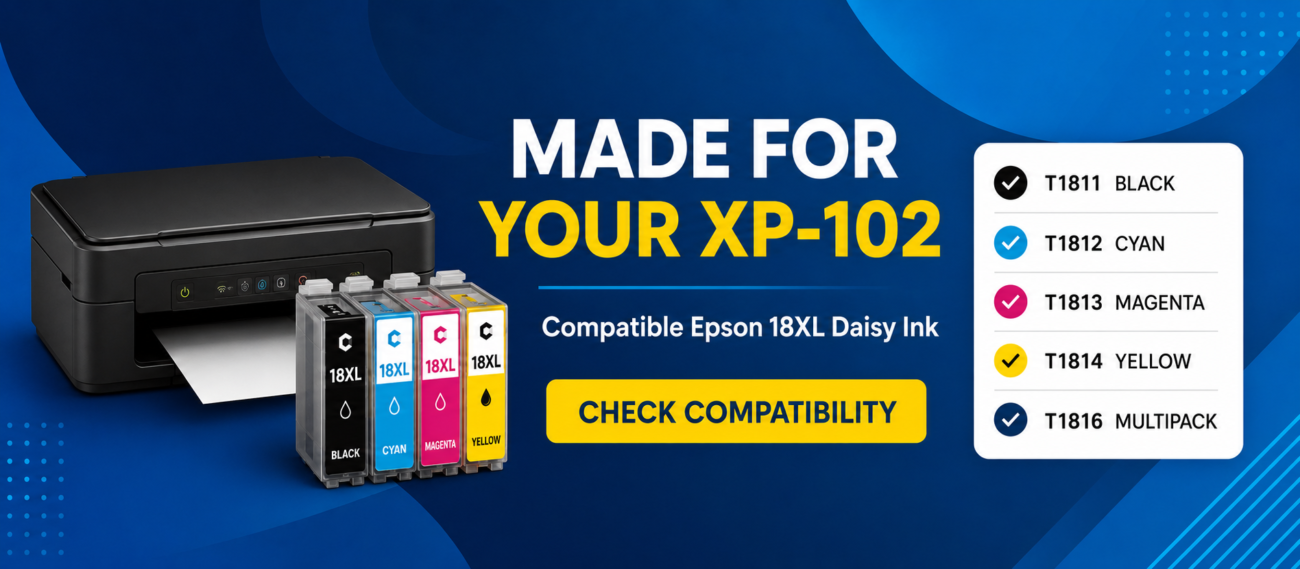
For example, selected older Expression Home models use Epson 18 and Epson 18XL Daisy ink cartridges. This range includes T1811 black, T1812 cyan, T1813 magenta, T1814 yellow and the complete T1816 multipack.
If you own an XP-102, you can visit our dedicated Epson XP-102 ink cartridges page to see the correct options for that printer.
Standard vs XL Epson Ink Cartridges
Many Epson cartridge families are available in standard and XL capacities. Both versions are normally designed to fit the same compatible printers, but XL cartridges contain more ink.
Standard cartridges may be suitable if you print occasionally. XL cartridges are generally more practical for customers who print regularly because they require less frequent replacement and can offer a lower cost per page.
| Cartridge type | Best suited to | Main benefit |
|---|---|---|
| Standard capacity | Occasional home printing | Lower initial purchase cost |
| High-capacity XL | Regular home or office printing | More ink and fewer replacements |
| Individual colour | Replacing one empty cartridge | Only purchase the colour required |
| Multipack | Replacing several colours | Convenient complete set |
Always check the specifications on the individual product page. Ink capacity and expected page yield can vary between cartridge families and manufacturers.
Epson Ink Cartridge Multipacks
An Epson-compatible multipack is a convenient option when several colours are running low or you want to keep a complete replacement set available.
Most four-colour multipacks include:
- One black cartridge
- One cyan cartridge
- One magenta cartridge
- One yellow cartridge
For printers that use the Epson Daisy range, Cynopack offers a compatible Epson 18XL T1816 multipack. It contains 43.4ml of ink across four high-capacity cartridges: 14.6ml of black and 9.6ml each of cyan, magenta and yellow.
If you use more of one particular colour, individual replacement cartridges may also be available.
Why Choose Cynopack Compatible Epson Ink?
Cynopack cartridges are designed to provide a balance of print quality, capacity and value for everyday printing.
Benefits of ordering from Cynopack include:
- Affordable compatible alternatives
- Individual colours and multipack options
- High-capacity XL cartridges for selected printers
- Clear printer-compatibility information
- Free UK shipping
- Dispatch within one working day
- Royal Mail Tracked 48 delivery
- Up to two years’ shelf life when stored correctly
- UK-based customer support
Cynopack compatible cartridges are third-party alternatives. They are not manufactured, sponsored or endorsed by Epson.
Print Quality and Page Yield
The number of pages produced by an Epson ink cartridge depends on more than its ink capacity. Text documents with low page coverage generally use less ink than photographs, graphics and full-colour presentations.
Actual cartridge life can be affected by:
- Page coverage
- Colour or monochrome printing
- Draft, standard or high-quality settings
- Printhead-cleaning cycles
- Printer maintenance
- The length of time between print jobs
- The type of paper being used
Published page yields should therefore be treated as estimates rather than guaranteed results. For the most accurate information, check the capacity and yield details on the relevant Cynopack product page.
Installing Compatible Epson Ink Cartridges
Installation instructions differ slightly between Epson printer models, but the general process is straightforward:
- Switch on the printer.
- Open the cartridge-access area.
- Allow the cartridge holder to move into the replacement position.
- Wait until the holder has completely stopped.
- Remove the empty cartridge.
- Unpack the replacement cartridge.
- Remove only the protective seal specified in the instructions.
- Insert the cartridge into the correct colour slot.
- Press it down gently until it clicks into place.
- Close the printer and allow it to complete the ink-charging process.
Do not touch the electronic chip or ink outlet, and never force a cartridge into the holder.
If the printer does not recognise a cartridge, confirm that you ordered the correct number, remove and reinstall it, and check that the protective packaging has been removed correctly.
Storing Your Epson-Compatible Cartridges
Unopened Cynopack cartridges can be stored for up to two years when kept correctly. Leave them in their original sealed packaging and store them in a cool, dry location away from direct sunlight, freezing conditions and excessive heat.
It can be useful to keep a spare multipack or frequently used black cartridge available, particularly if you rely on your printer for work or study.
Free UK Delivery on Epson Ink Cartridges
Cynopack provides free shipping within the UK. Orders are normally dispatched within one working day and sent using Royal Mail Tracked 48.
Tracking information will be provided when the order is dispatched. Orders placed at weekends or on bank holidays will be processed on the next working day.
Frequently Asked Questions
How do I know which ink cartridge fits my Epson printer?
Check the complete model number printed on your printer and compare it with the compatibility list on the Cynopack product page. You can also check the number printed on your existing cartridge.
Can I use compatible ink in an Epson printer?
You can use a correctly manufactured compatible cartridge when it is designed for your exact printer model and cartridge family. Always check the compatibility information before ordering.
Are Epson standard and XL cartridges the same size?
Standard and XL cartridges within the same family are generally designed to fit the same compatible printers. The main difference is that the XL version contains more ink.
Are compatible Cynopack cartridges genuine Epson products?
No. Cynopack compatible cartridges are third-party alternatives designed for use with the stated Epson printers. They are not manufactured or endorsed by Epson.
Is it better to buy individual cartridges or a multipack?
Choose an individual cartridge if only one colour needs replacing. A multipack may be more convenient when several colours are low or you want a complete spare set.
Why is my Epson printer not recognising a compatible cartridge?
The cartridge may not be fully installed, the protective seal may still be attached, or the electronic chip may need cleaning. Remove and reinstall the cartridge carefully and contact Cynopack if the problem continues.
How long can I store Cynopack cartridges?
Unopened Cynopack cartridges have a shelf life of up to two years when stored in their original packaging in a cool, dry place away from direct sunlight.
Is delivery free in the UK?
Yes. Cynopack provides free UK shipping. Orders are dispatched within one working day using Royal Mail Tracked 48.
Shop Epson Printer Ink at Cynopack
Browse our range of compatible Epson printer ink cartridges and select the correct option using your printer model or cartridge number. From individual replacement colours to high-capacity XL multipacks, Cynopack makes it easier to find dependable ink at an affordable price.
For the best results, confirm your printer model and cartridge code before completing your order.