Showing all 5 results
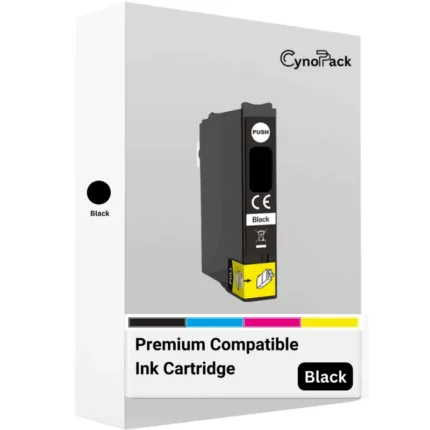
Compatible Epson 604XL Black Ink Cartridge
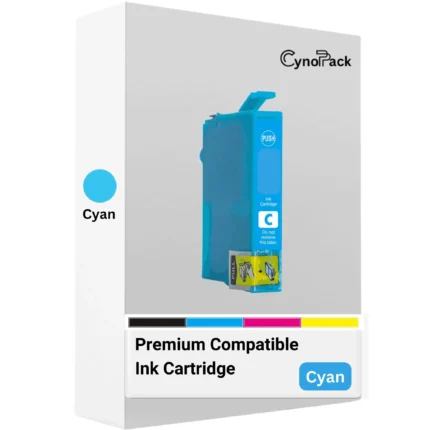
Compatible Epson 604XL Cyan Ink Cartridge
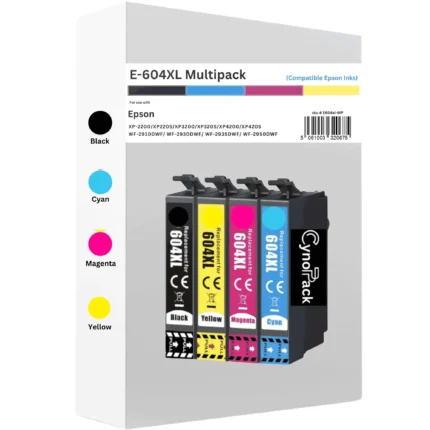
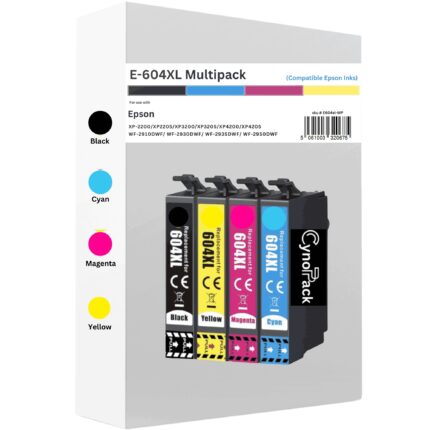


Compatible Epson 604XL Ink Cartridges Multipack – Set of 4
Compatible Epson 604XL ink-cartridge multipack containing black, cyan, magenta and yellow high-capacity cartridges. Designed for selected Epson Expression Home and WorkForce printers using the 604/604XL Pineapple cartridge family.
- Complete four-colour multipack
- Black: up to 500 pages
- Cyan, magenta and yellow: up to 350 pages each
- Compatible replacement for Epson 604XL cartridges
- Free UK delivery - Royal Mail Tracked 48
- Unopened shelf life of up to two years when stored correctly
Important: Check your complete printer model against the compatibility list before ordering.

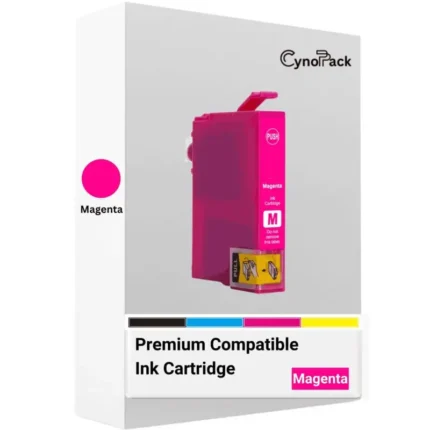
Compatible Epson 604XL Magenta Ink Cartridge

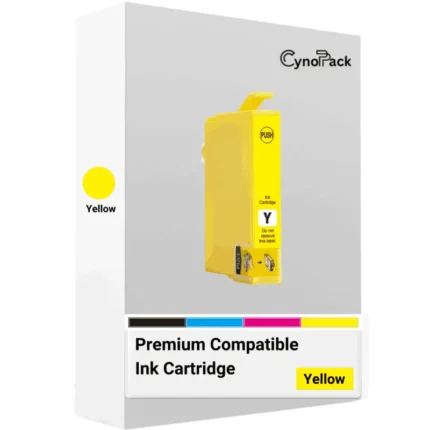
Compatible Epson 604XL Yellow Ink Cartridge
Shop Epson 604XL ink cartridges for selected Epson Expression Home and WorkForce printers using the 604/604XL Pineapple ink family. Choose compatible high-capacity black, cyan, magenta and yellow cartridges individually, or order the complete four-colour 604XL multipack.
Compatible models include the Epson XP-2200, XP-2205, XP-3200, XP-3205, XP-4200, XP-4205, WF-2910DWF, WF-2930DWF, WF-2935DWF and WF-2950DWF.
Check the complete model number printed on your printer before ordering. Epson 603XL and Epson 604XL cartridges have similar names but are not interchangeable.
Browse the compatible Epson 604XL Pineapple ink products below, with free UK delivery available.
Compatible Epson 604XL Pineapple Ink Cartridges
The Epson 604XL ink-cartridge range provides high-capacity replacement ink for selected Epson Expression Home and WorkForce printers. Also known as the Pineapple ink family, it uses four separate cartridges: black, cyan, magenta and yellow.
Cynopack offers compatible 604XL cartridges as individual colours and as a convenient four-colour multipack. An individual cartridge is suitable when only one colour requires replacement, while the multipack provides a complete set for customers who have several colours running low or want spare ink available.
These are newly manufactured compatible cartridges and are not produced by or affiliated with Epson. Epson names, printer models and cartridge references are used only to identify compatibility.
Which Printers Use Epson 604XL Ink?
Cynopack’s compatible 604XL cartridges are designed for the following printers:
| Printer range | Compatible models |
|---|---|
| Epson Expression Home | XP-2200, XP-2205, XP-3200, XP-3205, XP-4200 and XP-4205 |
| Epson WorkForce | WF-2910DWF, WF-2930DWF, WF-2935DWF and WF-2950DWF |
Always check the complete model number shown on your printer. A cartridge should not be selected using only the Epson brand, its physical appearance or part of the model number.
Epson 603XL Starfish and Epson 604XL Pineapple cartridges are different product families and cannot be used in place of one another.
Available Epson 604XL Cartridges
The category contains five compatible purchasing options:
- Compatible Epson 604XL black cartridge
- Compatible Epson 604XL cyan cartridge
- Compatible Epson 604XL magenta cartridge
- Compatible Epson 604XL yellow cartridge
- Compatible Epson 604XL multipack
The four-colour multipack contains one high-capacity black cartridge, one cyan, one magenta and one yellow.
Choose an individual cartridge when one colour is empty and the remaining cartridges still contain usable ink. Consider the multipack when several colours are low, you need a complete replacement set or you print regularly and want spare cartridges ready.
Epson 604 Versus Epson 604XL
Standard Epson 604 and high-capacity 604XL cartridges belong to the same Pineapple family and work with the same supported printers. The principal difference is their expected capacity and page yield.
| Feature | Epson 604 standard | Epson 604XL |
|---|---|---|
| Cartridge family | Pineapple | Pineapple |
| Approximate black yield | Up to 150 pages | Up to 500 pages |
| Approximate colour yield | Up to 130 pages per colour | Up to 350 pages per colour |
| Capacity | Standard | High capacity |
| Best suited to | Occasional printing | Regular home, study or office printing |
XL refers to higher capacity. It does not mean that the cartridge fits additional printer models.
A supported printer can generally use standard and XL cartridges from the same 604 family together. For example, you may install a 604XL black cartridge alongside standard 604 colour cartridges. Each cartridge must still be the correct colour and suitable for the printer.
Epson 604XL Page Yield
Cynopack’s compatible 604XL cartridges have the following estimated maximum page yields:
- Black: up to 500 pages
- Cyan: up to 350 pages
- Magenta: up to 350 pages
- Yellow: up to 350 pages
These figures are estimates under applicable test conditions. Actual results depend on page coverage, print-quality settings, paper type, document content, maintenance cycles and printing frequency.
A page containing a small amount of text uses less ink than a borderless photograph or a document with a full-colour background. The cyan, magenta and yellow figures should not be added together to promise a fixed total number of colour pages because the printer combines these inks in different proportions.
Epson 604XL Cartridge Codes
Use the following references as an additional compatibility check:
| Colour or pack | Short reference | Complete reference |
|---|---|---|
| Black | T10H1 | C13T10H14010 |
| Cyan | T10H2 | C13T10H24010 |
| Magenta | T10H3 | C13T10H34010 |
| Yellow | T10H4 | C13T10H44010 |
| Four-colour multipack | T10H6 | C13T10H64010 |
| Selected EasyMail multipack packaging | T10H6 | C13T10H64510 |
The complete multipack reference may vary according to the packaging format. Confirm that the cartridge belongs to the 604XL Pineapple family and that your complete printer model appears in the compatibility list.
How to Choose the Correct Cartridge
Before ordering:
- Find the complete model number on the front, rear or information label of your printer.
- Check the cartridge family printed on the installed cartridge or in the printer manual.
- Confirm that the model appears in the compatibility table above.
- Select the colour that requires replacement or choose the complete multipack.
- Review the product’s compatibility information before completing checkout.
If your printer model is not listed, contact Cynopack before placing the order rather than assuming the cartridge will fit.
Installing Compatible Epson 604XL Cartridges
Installation controls vary between printer models, but the general procedure is:
- Switch on the printer.
- Open the cartridge-access area.
- Use the printer’s ink-replacement button or maintenance function to move the cartridge holder into position.
- Wait until the holder stops moving.
- Release and remove the empty cartridge.
- Open the new cartridge only when you are ready to install it.
- Remove the protective strip specified in the cartridge instructions.
- Avoid touching the electronic chip or ink outlet.
- Insert the cartridge into the corresponding colour position.
- Press it down gently until it clicks securely into place.
- Close the printer and allow ink charging to finish.
Do not move the cartridge holder manually or unplug the printer while its lights are flashing.
What to Do If a 604XL Cartridge Is Not Recognised
If your printer does not recognise a newly installed cartridge:
- Confirm that it belongs to the Epson 604XL family
- Make sure your complete printer model is supported
- Check that it is installed in the correct colour slot
- Remove the required protective strip
- Reinstall the cartridge until it clicks securely
- Check whether it sits level with the other cartridges
- Inspect the electronic chip for dirt or visible damage
- Close the cartridge cover fully
- Allow the printer to complete ink charging
- Restart the printer safely using its power button
Do not force the cartridge into position or attempt an unofficial firmware downgrade.
If the cartridge remains unrecognised, contact Cynopack with your order number, printer model, affected colour and the exact error message.
Delivery, Storage and Support
Compatible 604XL products are available with free UK delivery. Check the individual product page and checkout for current dispatch estimates and delivery options.
Unopened Cynopack cartridges have a shelf life of up to two years when stored correctly. Keep them sealed in their original packaging in a cool, dry location away from direct sunlight, freezing temperatures and excessive heat.
For product assistance, email support@cynopack.com with your order number, complete printer model, cartridge colour and error details.
Frequently Asked Questions
What does Pineapple mean on Epson ink?
Pineapple is the identifying image and family name associated with Epson 604 and 604XL cartridges. You should still check the numerical cartridge reference and printer model before ordering.
Are Epson 604 and 604XL cartridges interchangeable?
Standard 604 and 604XL cartridges are designed for the same supported printer family. The XL version contains more ink and provides a higher estimated page yield.
Can I use Epson 604XL instead of 604?
Yes, provided your printer is listed as compatible with the 604/604XL Pineapple family.
Are Epson 603XL and 604XL the same?
No. Epson 603XL and 604XL cartridges fit different printer ranges and are not interchangeable.
Can I replace only one colour?
Yes. Supported printers use separate black, cyan, magenta and yellow cartridges, allowing you to replace the colour that has run out.
What is included in the 604XL multipack?
The Cynopack multipack contains four high-capacity cartridges: one black, one cyan, one magenta and one yellow.
How many pages can Epson 604XL print?
Cynopack’s compatible black cartridge is estimated at up to 500 pages. Cyan, magenta and yellow are estimated at up to 350 pages each. Actual yield varies according to printing conditions.
Can compatible 604XL cartridges display ink levels?
Ink-level reporting depends on the cartridge chip, printer and installed software. Any displayed level should be treated as an estimate rather than a precise physical measurement.
Buy Compatible Epson 604XL Ink Online
Browse Cynopack’s compatible Epson 604XL Pineapple ink range and choose the individual colour or multipack that meets your printing needs.
Before ordering, confirm both the complete printer model and cartridge family. Taking a moment to check compatibility can help prevent recognition problems, returns and unnecessary delays.