Compatible Epson 604XL Ink Cartridges Multipack – Set of 4
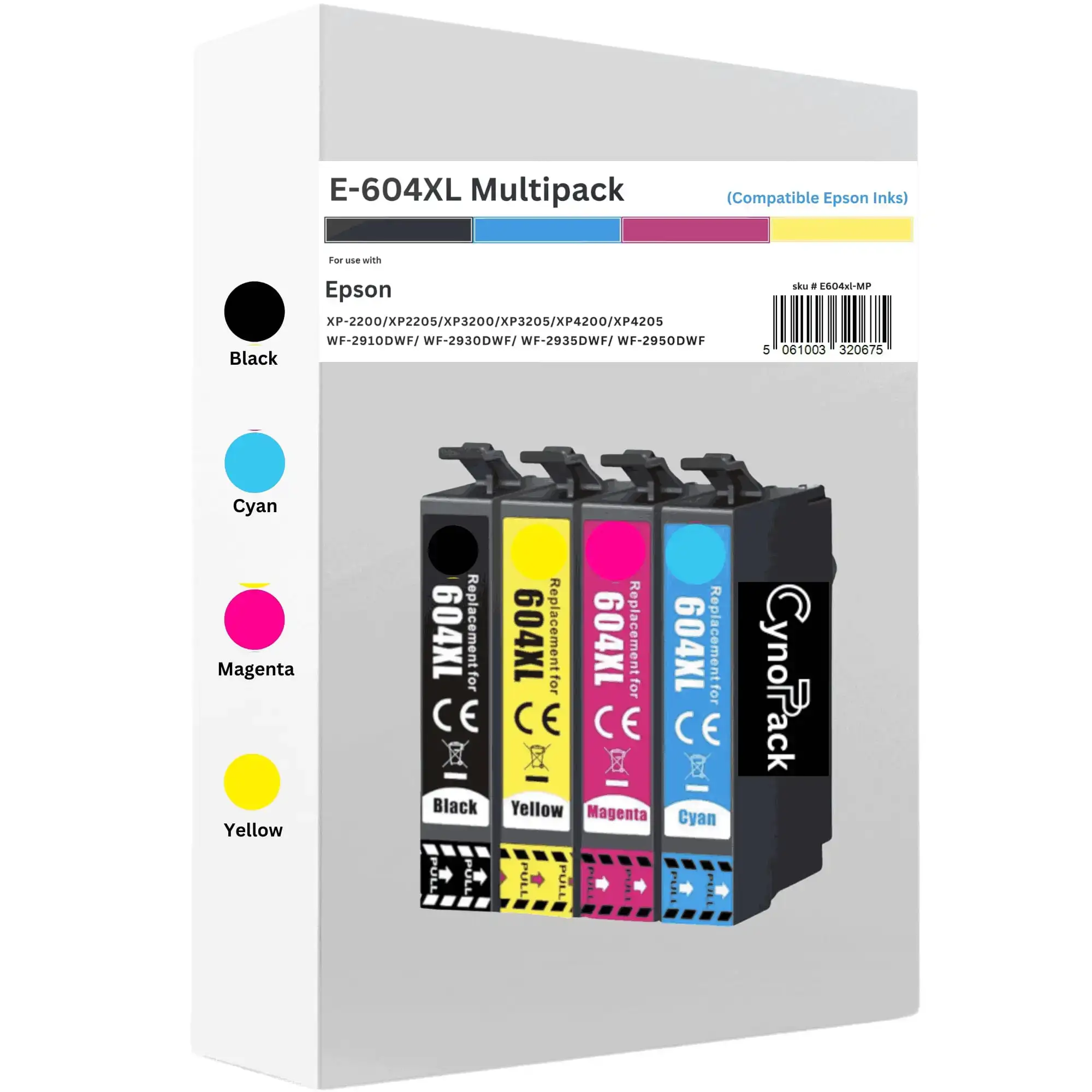
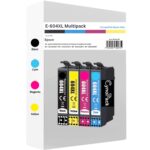
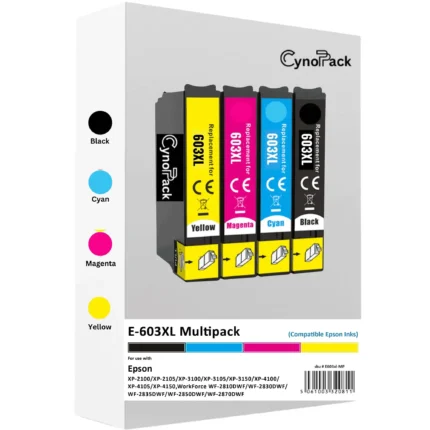
Keep your compatible Epson printer ready for everyday printing with this Compatible Epson 604XL Ink Cartridges Multipack from Cynopack.
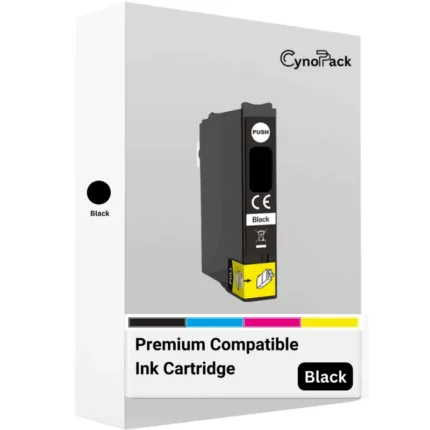
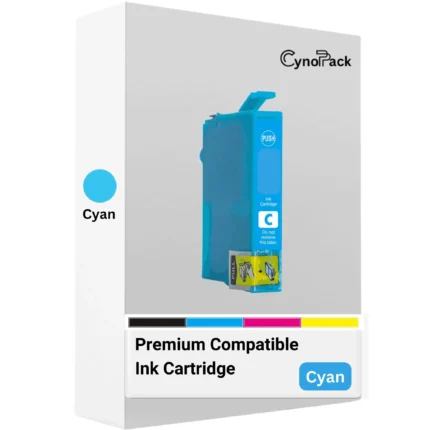
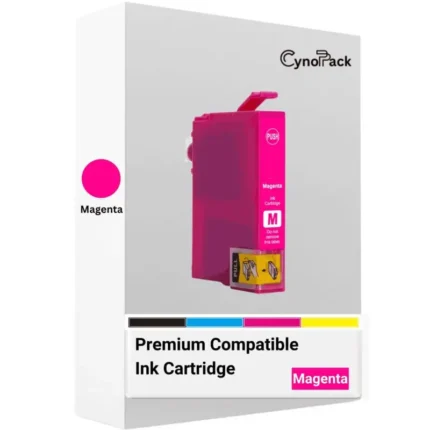
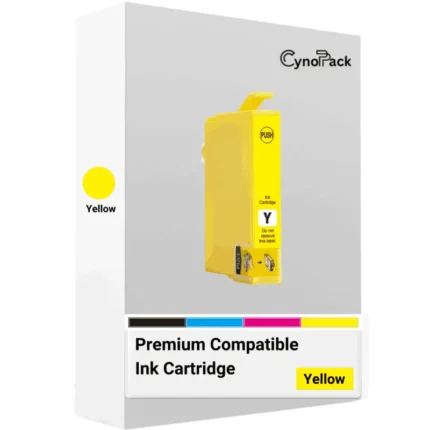
This high-capacity value pack contains four separate cartridges—black, cyan, magenta and yellow—designed for selected Epson Expression Home and WorkForce printers that use the Epson 604/604XL Pineapple cartridge family.
The multipack is suitable for printing household documents, homework, coursework, letters, forms, reports, invoices and colour projects. Because the printer uses individual colour cartridges, you can replace only the colour that has run out.
What You Will Receive
Your multipack contains:
- 1 × Compatible Epson 604XL Black ink cartridge
- 1 × Compatible Epson 604XL Cyan ink cartridge
- 1 × Compatible Epson 604XL Magenta ink cartridge
- 1 × Compatible Epson 604XL Yellow ink cartridge
All four cartridges are supplied as high-capacity XL replacements.
Compatible Epson Printers
These compatible 604XL ink cartridges are designed for the following printers:
Epson Expression Home
- Epson Expression Home XP-2200
- Epson Expression Home XP-2205
- Epson Expression Home XP-3200
- Epson Expression Home XP-3205
- Epson Expression Home XP-4200
- Epson Expression Home XP-4205
Epson WorkForce
- Epson WorkForce WF-2910DWF
- Epson WorkForce WF-2930DWF
- Epson WorkForce WF-2935DWF
- Epson WorkForce WF-2950DWF
Important compatibility information: These cartridges are not suitable for every Epson printer. Check the complete model number printed on the front or product label of your printer before ordering.
Epson 603XL and Epson 604XL cartridges have similar names but are not interchangeable.
Epson 604XL Cartridge References
This multipack is designed as a compatible alternative for printers using the following Epson 604XL references:
| Colour | Cartridge reference |
|---|---|
| Black | T10H1 / C13T10H14010 |
| Cyan | T10H2 / C13T10H24010 |
| Magenta | T10H3 / C13T10H34010 |
| Yellow | T10H4 / C13T10H44010 |
| Multipack | T10H6 / C13T10H64010 |
Some original Epson multipacks may show a different complete reference depending on the packaging format. The most important checks are the 604XL cartridge family and your complete printer model.
Estimated Page Yield
The expected maximum page yield is approximately:
- Black: Up to 500 pages
- Cyan: Up to 350 pages
- Magenta: Up to 350 pages
- Yellow: Up to 350 pages
Page-yield figures are estimates under applicable test conditions. Actual results depend on:
- Page coverage
- Print-quality settings
- Documents or photographs being printed
- Paper type
- Printhead-cleaning cycles
- Printer maintenance
- Frequency of use
Full-page photographs, coloured backgrounds and high-quality print settings normally consume more ink than standard text documents.
The colour figures should not be added together to promise a fixed total number of full-colour pages because cyan, magenta and yellow are normally used together in different proportions.
Epson 604 Versus Epson 604XL
Both standard 604 and high-capacity 604XL cartridges are designed for the same supported printer family. The main difference is their expected capacity and replacement frequency.
| Feature | Epson 604 standard | Epson 604XL |
|---|---|---|
| Approximate black yield | Up to 150 pages | Up to 500 pages |
| Approximate colour yield | Up to 130 pages | Up to 350 pages |
| Capacity | Standard | High capacity |
| Best suited to | Occasional printing | Regular home, study or office printing |
| Cartridge changes | More frequent | Less frequent |
The 604XL option is particularly suitable for customers who print regularly or prefer to keep a higher-capacity cartridge installed.
Actual results will still depend on the documents, printer settings and maintenance processes used.
Suitable for Everyday Home and Office Printing
Cynopack compatible Epson 604XL cartridges can be used for a wide range of everyday printing requirements, including:
- Letters and household documents
- School homework and university assignments
- Forms and applications
- Invoices and business paperwork
- Reports and presentations
- Colour charts and graphics
- Craft and creative projects
- Occasional photographs
For important colour or photographic work, print one test page first. Results can vary according to the printer, ink, paper and selected quality settings.
Benefits of Choosing the 604XL Multipack
Complete Four-Colour Set
The pack contains all four colours required by compatible Epson printers, helping you prepare for future cartridge replacements in one order.
High-Capacity Cartridges
The XL format provides a higher expected yield than standard Epson 604 cartridges, making it a practical option for regular printing.
Replace Colours Individually
Your printer uses separate black, cyan, magenta and yellow cartridges. This means you can replace the depleted colour without discarding the other cartridges.
Affordable Alternative
Compatible cartridges provide a lower-cost alternative for customers who want to manage everyday printing expenses.
UK Customer Support
If you experience a cartridge-recognition or installation problem, contact Cynopack with your order number, complete printer model, affected cartridge colour and the error message displayed.
How to Install Compatible Epson 604XL Cartridges
The precise cartridge-replacement procedure varies between printer models. Consult your printer manual or follow the instructions shown in Epson Smart Panel where available.
The general procedure is:
- Switch on the printer.
- Open the scanner unit or cartridge-access area.
- Select the ink-cartridge replacement option using the printer controls or Epson Smart Panel.
- Wait until the cartridge holder moves into the replacement position and stops.
- Press the release tab and remove the empty cartridge.
- Remove the new cartridge from its packaging.
- Remove only the protective strip or vent seal specified in the cartridge instructions.
- Avoid touching the electronic chip or ink outlet.
- Insert the cartridge into the matching colour slot.
- Press it down gently until it clicks into position.
- Close the cartridge cover and scanner unit.
- Allow the printer to complete its ink-charging process.
Do not switch off or unplug the printer while it is charging ink or while the power light is flashing.
What If a Cartridge Is Not Recognised?
If your Epson printer does not recognise a newly installed 604XL cartridge:
- Confirm that your complete printer model appears in the compatibility list.
- Check that you ordered Epson 604XL rather than Epson 603XL.
- Make sure the cartridge is installed in the correct colour slot.
- Confirm that the required protective strip has been removed.
- Remove and reinstall the affected cartridge firmly.
- Check that it sits level with the other cartridges.
- Inspect the electronic chip for dirt or visible damage.
- Switch the printer off using its power button.
- Wait until all lights and movement have stopped.
- Disconnect the power for approximately five minutes.
- Reconnect the printer and allow it to start completely.
Do not scrape the cartridge chip, apply cleaning liquid directly to it or move the cartridge holder manually.
If a new, correctly matched cartridge remains unrecognised, contact Cynopack before disposing of the cartridge.
Storage and Shelf Life
Unopened Cynopack compatible cartridges have a shelf life of up to two years when stored correctly.
For the best results:
- Keep cartridges sealed in their original packaging.
- Store them upright.
- Choose a cool, dry indoor location.
- Keep them away from direct sunlight.
- Avoid radiators and other strong heat sources.
- Protect them from freezing temperatures.
- Do not place heavy objects on the packaging.
- Open each cartridge only when you are ready to install it.
If you keep more than one multipack, use the oldest suitable stock first.
Compatible Cartridge and Warranty Information
These are compatible cartridges manufactured independently for use with selected Epson printers. They are not manufactured, sponsored or endorsed by Epson.
Epson recommends genuine Epson ink and does not guarantee the quality or reliability of third-party cartridges. Damage attributed to non-genuine ink may not be covered by Epson’s manufacturer warranty.
A manufacturer warranty is separate from the statutory consumer rights available to UK customers. Individual warranty claims depend on the applicable terms and the cause of the printer fault.
Delivery and Customer Support
Cynopack supplies compatible printer ink to homes, students and businesses throughout the UK.
Please check the Shipping & Delivery tab for current dispatch and delivery information.
If you are unsure whether this multipack is suitable for your printer, contact us before ordering and provide the complete model number shown on your printer.
For support after delivery, provide:
- Your order number
- Complete printer model
- Cartridge colour affected
- Cartridge error message
- A photograph of the cartridge or printer display, where possible
Frequently Asked Questions
Which printers use this Epson 604XL multipack?
This multipack is designed for selected Epson Expression Home XP-2200, XP-2205, XP-3200, XP-3205, XP-4200 and XP-4205 printers. It also supports the listed Epson WorkForce WF-2910DWF, WF-2930DWF, WF-2935DWF and WF-2950DWF models.
What is included in the pack?
The pack contains four high-capacity compatible cartridges: one black, one cyan, one magenta and one yellow.
What is the difference between Epson 604 and 604XL?
Both belong to the same cartridge family, but 604XL is the high-capacity version. It offers a higher expected page yield and usually requires less frequent replacement than standard 604 cartridges.
Can I use 604XL cartridges in an Epson XP-2200?
Yes. The Epson Expression Home XP-2200 supports the Epson 604 and 604XL Pineapple cartridge family. Confirm that your printer is the XP-2200 before ordering.
Can I mix standard 604 and 604XL cartridges?
Supported printers can generally use standard and XL cartridges from the same 604 family together. For example, you may use a 604XL black cartridge alongside standard 604 colour cartridges. Every cartridge must belong to the correct 604 family and be placed in the correct colour slot.
Can I replace only one colour?
Yes. Compatible Epson printers in this range use separate black, cyan, magenta and yellow cartridges, allowing you to replace the individual colour that has run out.
Are Epson 603XL and Epson 604XL cartridges interchangeable?
No. Epson 603XL and 604XL cartridges are different cartridge families. A printer requiring 604XL cartridges should not be fitted with 603XL cartridges.
How many pages can these cartridges print?
The estimated maximum yield is up to 500 black pages and up to 350 pages per colour cartridge under applicable test conditions. Real-world yield depends on page coverage, printing mode, document type and maintenance cycles.
Why does my printer say the new cartridge is not recognised?
The cartridge may be incorrectly installed, placed in the wrong colour slot, covered by protective material or unable to communicate through its electronic chip. Confirm compatibility and reinstall the affected cartridge once before contacting Cynopack.
How long can unopened cartridges be stored?
Unopened Cynopack cartridges have a shelf life of up to two years when stored correctly in their sealed packaging in a cool, dry indoor location.
Order Compatible Epson 604XL Ink Cartridges
Choose this Cynopack compatible Epson 604XL multipack when you need a complete set of black, cyan, magenta and yellow high-capacity cartridges for a supported Epson Expression Home or WorkForce printer.
Check your complete printer model, select the required quantity and order online for delivery within the UK.


Reviews
There are no reviews yet.