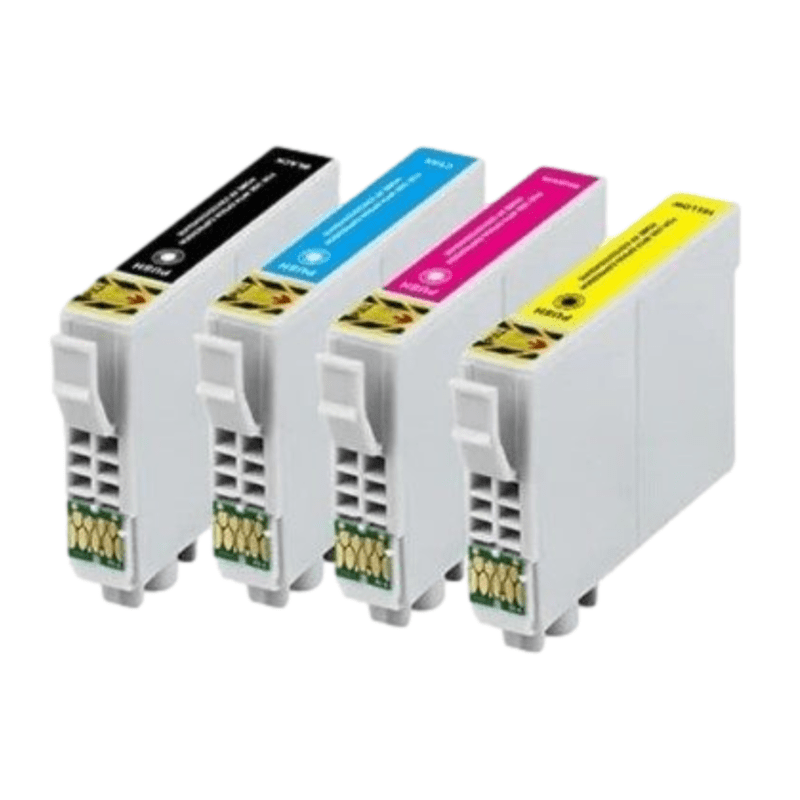

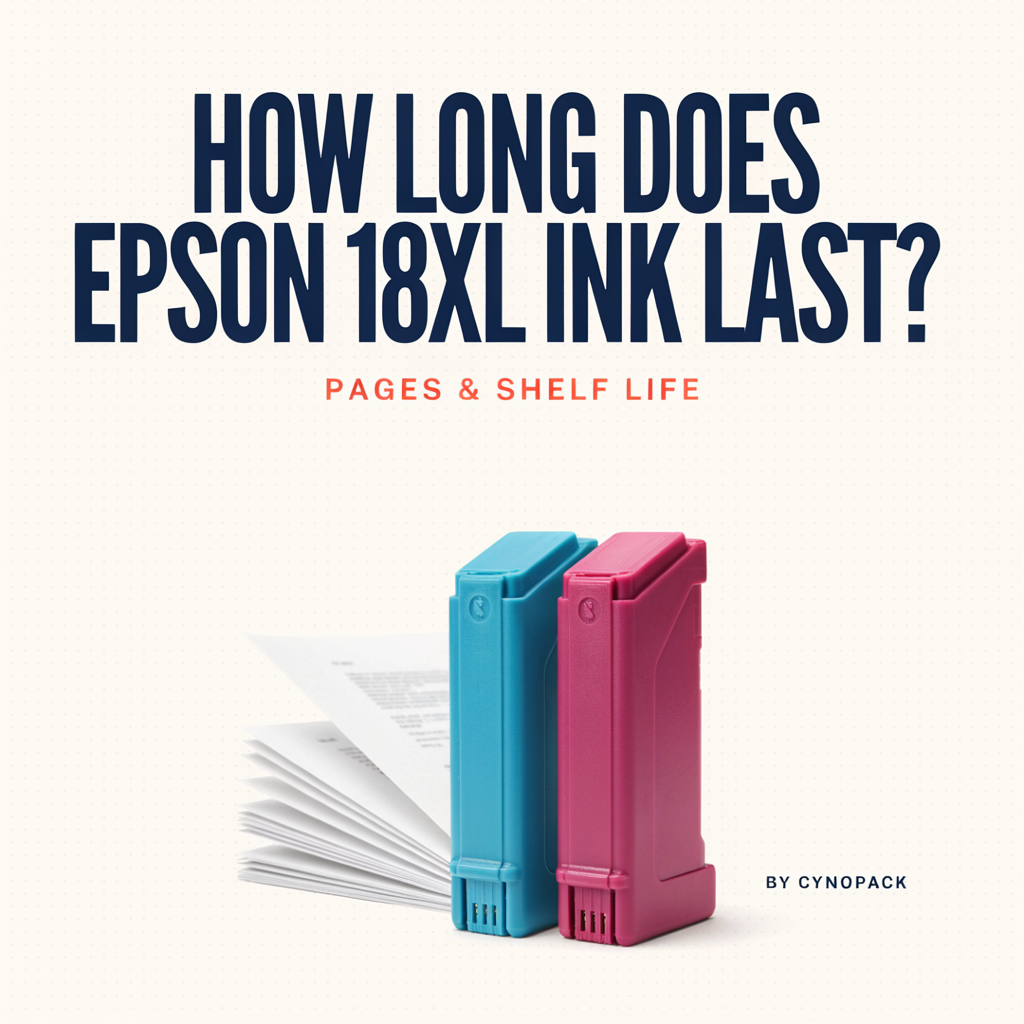
Epson 18XL ink is rated to print up to approximately 470 black pages or 450 colour pages, depending on the cartridge and the documents being printed. This is a comparative page-yield figure measured under standardised test conditions; photographs, heavy page coverage and cleaning cycles can reduce the number of finished pages considerably.
If you mean storage life, unopened Cynopack compatible Epson 18XL cartridges have a shelf life of up to two years when stored correctly. Keep them sealed in their original packaging, upright, in a cool and dry place away from direct sunlight and extreme temperatures.
How Long Does Epson 18XL Ink Last?
The phrase “how long does Epson 18XL ink last?” therefore has two different answers:
- Printing life: how many pages the cartridge can produce.
- Storage life: how long an unopened cartridge can remain suitable for use.
This guide explains both, compares Epson 18XL with standard Epson 18 ink and shows how printing habits affect cartridge life.
Epson 18XL Page Yield at a Glance
Epson identifies the 18 and 18XL cartridge family with a Daisy image. The high-capacity 18XL range includes separate black, cyan, magenta and yellow cartridges, as well as a four-colour multipack.
The published yield figures for the genuine Epson 18XL Daisy range are:
| Cartridge | Common reference | Published approximate yield |
|---|---|---|
| Epson 18XL black | T1811 | Up to 470 black pages |
| Epson 18XL cyan | T1812 | Up to 450 colour pages |
| Epson 18XL magenta | T1813 | Up to 450 colour pages |
| Epson 18XL yellow | T1814 | Up to 450 colour pages |
| Epson 18XL multipack | T1816 | Up to 470 black pages and 450 colour pages |
These figures are useful for comparing cartridges, but they should not be treated as a promise that every cartridge will print exactly that number of physical sheets.
The colour yield shown for a multipack is a standardised colour-page figure. It should not be interpreted as 450 cyan pages plus 450 magenta pages plus 450 yellow pages, or as a guaranteed total of 1,350 full-colour sheets. During colour printing, the printer normally uses the three colour inks together in varying proportions.
How Long Does Epson 18XL Ink Last in Everyday Use?
The number of weeks or months an 18XL cartridge lasts depends on how often you print.
The following examples use the published maximum yield only as a simple planning estimate. Real-world results may be lower.
| Approximate printing level | Illustrative usage | Possible time before replacement* |
|---|---|---|
| Very light use | 10 pages per month | Many months to several years |
| Light home use | 25 pages per month | About 18 months at 450 pages |
| Regular home or study use | 50 pages per month | About 9 months at 450 pages |
| Home-office use | 100 pages per month | About 4–5 months at 450 pages |
| Heavier small-office use | 200 pages per month | About 2 months at 450 pages |
*These are mathematical illustrations, not performance guarantees. They assume the relevant ink reaches its published yield and ignore maintenance use, page coverage and uneven colour consumption.
A customer printing ten short letters each month may keep a black cartridge for a long time. Someone producing school projects, presentation slides or borderless photographs could use one or more colours much faster, even when the total number of sheets is lower.
Epson 18 vs Epson 18XL: Which Lasts Longer?
Epson 18XL is the high-capacity version of the standard Epson 18 Daisy cartridge family.
| Cartridge range | Approximate black yield | Approximate colour yield | Most suitable for |
|---|---|---|---|
| Epson 18 standard | Up to 175 pages | Up to 180 pages | Occasional printing |
| Epson 18XL | Up to 470 pages | Up to 450 pages | Regular home, study or office printing |
Based on those published figures, 18XL offers approximately:
- 2.7 times the black-page yield of standard Epson 18
- 2.5 times the colour-page yield of standard Epson 18
This does not mean that the XL cartridge will last exactly 2.5 or 2.7 times longer for every user. The actual difference depends on what is printed and which colour runs out first. Nevertheless, the comparison shows why 18XL is usually the more practical option for customers who print regularly.
An XL cartridge is not a universal Epson cartridge. It will work only in printers designed for the Epson 18/18XL family. Confirm the complete printer model and cartridge code before ordering.
What Does “Up to 470 Pages” Really Mean?
Ink page yield is measured using controlled test documents and procedures so customers can compare products on a broadly consistent basis. Epson explains that document yields are based on recognised ISO testing standards.
A standard test page does not represent every real document. It has a defined mixture of text, graphics and coverage. Your printer may therefore produce more or fewer pages than the published number.
The words “up to” are important. A yield figure is an estimate under test conditions, not a fixed quantity of paper stored inside the cartridge.
Page yield is not the same as sheet count
One printed sheet may use:
- Mainly black ink for a text letter
- Black and several colours for a web page
- Large quantities of all colours for a photograph
- Extra ink if printed on both sides
- Very little ink if only a few lines appear on the page
For this reason, two households can install the same cartridge on the same day and replace it months apart.
What Reduces the Number of Pages You Can Print?
Several normal factors affect how long Epson 18XL ink lasts.
1. Page coverage
A short letter uses far less ink than a full-page graphic. Documents with coloured backgrounds, large headings, charts or shaded areas can reduce yield.
2. Photographs
Photo printing applies much more ink than ordinary text printing. Borderless photographs can also use ink beyond the trimmed edge of the page. A cartridge used mainly for photos is unlikely to produce the same sheet count as one used for mixed ISO-style documents.
3. Print-quality settings
Draft or economy modes generally use less ink than high-quality modes. Best-photo or high-resolution settings may apply more ink to achieve smoother tones and stronger detail.
Use the setting appropriate to the job. Draft mode may suit internal notes, while important documents and photos may justify higher quality.
4. Printhead cleaning
An Epson inkjet printer may use ink during printhead cleaning because ink must pass through the nozzles to clear blockages. Repeated cleaning cycles can consume a noticeable amount without producing normal printed pages.
Print a nozzle check first. Run a cleaning cycle only if the pattern shows missing lines, then follow the printer manual before repeating it.
5. Printer start-up and maintenance
Inkjet printers use small amounts of ink during charging and certain maintenance routines. Installing a cartridge, reconnecting power or repeatedly starting maintenance procedures can affect usable yield.
6. Uneven colour use
A colour page does not use cyan, magenta and yellow equally. A collection of blue graphics may deplete cyan first, while warm-toned designs may use more magenta and yellow.
Because Epson 18XL uses separate cartridges, the depleted colour can normally be replaced without discarding the remaining ink in the other cartridges.
7. Printer settings and paper type
The selected media setting changes how the printer applies ink. Glossy photo paper, matte presentation paper and ordinary copier paper require different print behaviour.
Choose the correct paper setting. Selecting photo paper while using plain paper—or the reverse—can affect quality, drying and ink use.
8. Long gaps between printing
Very infrequent use can allow ink to dry around the printhead nozzles, potentially leading to cleaning cycles. A small colour print from time to time can be more helpful than leaving an inkjet printer unused for many months.
Does Printing in Black Use Only the Black Cartridge?
Not always.
Many Epson printers can use small amounts of colour ink during maintenance, printhead cleaning or certain print modes. Some documents that appear black on screen may also be produced using a combination of colours, depending on the selected settings and printer driver.
To reduce unnecessary colour use for ordinary documents:
- Select black/grayscale when colour is not required.
- Choose plain paper when using ordinary office paper.
- Use draft mode for temporary internal documents when the quality is acceptable.
- Check the print preview for coloured backgrounds or graphics.
The printer may still require all designated cartridges to be installed and contain usable ink. Do not assume that removing the colour cartridges will turn an Epson colour printer into a permanent black-only printer.
How Can I Estimate My Own Cartridge Life?
The most useful estimate is based on your actual monthly printing rather than an average household.
Use this simple calculation:
Estimated months = expected page yield ÷ average pages printed per month
For example:
- Estimated colour yield: 450 pages
- Average use: 60 colour pages per month
- Calculation: 450 ÷ 60 = 7.5 months
Treat the result as a planning guide only. If those 60 pages are full-page photographs, the cartridge may last far less time. If they contain only small coloured logos, it may last longer.
A better long-term method is to record:
- The date each cartridge is installed.
- The printer’s page count at installation, if available.
- The date and page count when it is replaced.
- Whether the period included unusually heavy photo printing or cleaning.
After two or three cartridge cycles, your own records will be more useful than a general estimate.
How Long Can an Unopened Epson 18XL Cartridge Be Stored?
Unopened Cynopack compatible Epson 18XL cartridges have a shelf life of up to two years when stored correctly.
This is a storage period, not a guarantee that every cartridge will remain unchanged under any conditions. Heat, freezing temperatures, damaged packaging or an unsealed vent can shorten its useful life.
For genuine Epson ink cartridges, Epson’s current Ink Finder guidance also states that unopened cartridges last up to two years from the manufacturing date. Always follow the date and instructions printed on the individual packaging where available.
Shelf life does not begin when you place an order
A two-year shelf life may be calculated from manufacture or another date specified by the supplier, rather than from the day the customer receives it. Check the packaging and retailer’s product information. If no date is clear, contact the seller before storing cartridges for a long period.
How to Store Unopened Epson 18XL Ink Correctly
Correct storage protects the ink, internal pressure system and electronic chip.
Keep the cartridge sealed
Leave it in the original unopened packaging until you are ready to install it. The packaging helps protect the cartridge from air, dust and physical damage.
Store it upright
Keep the cartridge in the orientation recommended on its packaging. Upright storage reduces the chance of ink settling or reaching areas where it should not.
Choose a cool, dry location
A cupboard or drawer inside the home or office is normally better than a loft, garage, vehicle or windowsill. Storage temperatures in those locations can change sharply.
Avoid direct sunlight and heat
Do not leave cartridges near radiators, boilers or sunny windows. Excessive heat can affect the ink and cartridge components.
Protect them from freezing
Do not store ink cartridges in an unheated area where they may freeze. If a cartridge has been exposed to very cold conditions during transport, allow the unopened package to reach normal room temperature before installation, following any instructions supplied with it.
Avoid pressure and damaged packaging
Do not place heavy objects on the cartridge box. A cracked housing or damaged outlet can cause leakage even when the product has not been used.
Use the oldest suitable stock first
If you keep several replacements, rotate them using first in, first out. Check the product code and date before opening the next cartridge.
Can You Use Epson 18XL Ink After Two Years?
The safest approach is to follow the shelf-life information and any use-by or warranty date supplied with the cartridge.
An unopened cartridge does not necessarily become visibly unusable at midnight on a particular date, but ageing can affect ink flow, print consistency and recognition. A seller may also limit support for stock stored beyond its stated shelf life.
Before installing older stock, check for:
- Damaged, swollen or leaking packaging
- Dried ink around the outlet
- A cracked cartridge body
- Corrosion or damage to the chip
- Missing or loose protective seals
Do not install a cartridge that is leaking or physically damaged. Contact the seller for advice and dispose of it according to local guidance.
How Long Does an Installed 18XL Cartridge Last?
There is no single calendar answer once a cartridge is installed. It may last weeks, months or longer depending on usage, but leaving an inkjet printer idle for extended periods can increase the risk of nozzle drying and cleaning-related ink use.
Epson advises that installed cartridges should be used regularly to help prevent printheads from drying out. The best practice is therefore to:
- Leave installed cartridges in the printer until replacement is required.
- Print a small document containing black and colour periodically.
- Switch the printer off with its power button rather than cutting power suddenly.
- Keep the printer away from excessive heat and very dry airflow.
- Run a nozzle check before initiating cleaning.
Avoid repeatedly removing and reinserting a partly used cartridge. Some cartridges may not behave normally after removal, and opening the ink system can introduce air or contamination.
How Do I Know When Epson 18XL Ink Is Running Low?
The printer software, control panel or status utility may display an estimated ink level. This is useful for planning but should not be treated as a precise physical measurement.
Common signs that a cartridge needs attention include:
- A low-ink or replace-cartridge message
- A cartridge indicator in the Epson utility
- Missing lines in a nozzle-check pattern
- One colour disappearing from prints
- A cartridge-recognition warning
Poor print quality does not always mean the cartridge is empty. The vent may be obstructed, the cartridge may be incorrectly seated or the printhead may need maintenance.
If an 18XL cartridge is not detected, follow Epson 18XL Cartridge Not Recognised: Causes and Fixes and add the published PrinterTeck URL to that anchor text.
When Should You Keep a Spare Multipack?
A spare cartridge set can be useful when:
- The printer is needed for business paperwork or order processing.
- Children regularly print schoolwork.
- Several colours are already showing low levels.
- Delivery delays would interrupt important work.
- You print in batches rather than a few pages at a time.
Do not build an unnecessarily large stock if you print very little. Estimate annual usage and purchase an amount you can reasonably use within the stated storage period.
For example, if one multipack normally lasts a year, keeping one spare set is more sensible than buying four or five sets that may remain unused beyond their recommended shelf life.
Tips to Make Epson 18XL Ink Last Longer
You cannot prevent normal ink use, but you can reduce avoidable waste:
- Preview documents before printing.
- Print only the pages you need.
- Use duplex printing to save paper, although it does not halve ink use.
- Select grayscale for documents that do not require colour.
- Use draft quality for disposable notes.
- Avoid large coloured backgrounds in routine documents.
- Match the paper type in the printer settings.
- Print regularly enough to reduce drying problems.
- Run cleaning only after checking the nozzles.
- Do not cancel jobs repeatedly after printing has started.
- Replace only the colour that is genuinely depleted.
- Keep unopened spares properly stored.
FAQs
How many pages does Epson 18XL black print?
The published yield for genuine Epson 18XL black is up to approximately 470 pages under standardised test conditions. Real output varies with page coverage, print settings, maintenance and the condition of the printer.
How many pages does an Epson 18XL colour cartridge print?
Epson lists an approximate colour yield of up to 450 pages. This is a comparative standard-test figure and should not be multiplied by three to promise 1,350 complete colour sheets from a cyan, magenta and yellow set.
How long will an 18XL cartridge last if I print 50 pages per month?
Dividing a 450-page estimate by 50 suggests about nine months. However, heavy graphics, photographs, cleaning cycles and unequal colour use may shorten that period.
Is Epson 18XL better value than standard Epson 18?
It is often better value for regular printing because the published yield is significantly higher. Compare the current price per cartridge and expected yield, then consider how often you print. An occasional user may prioritise a lower purchase price instead.
Does an Epson 18XL multipack print 1,820 pages in total?
It should not be marketed that way. The black and colour yields describe different standardised printing measurements, and colour printing uses cyan, magenta and yellow together. Adding every headline figure can create a misleading total.
Do photographs use more Epson 18XL ink than documents?
Usually, yes. Photographs normally have much greater page coverage and use several colours at higher quality settings. A cartridge used mainly for photos may produce far fewer physical sheets than its document-page yield.
Does printhead cleaning use ink?
Yes. Cleaning moves ink through the printhead to clear nozzles. Run a nozzle check first and avoid repeated cleaning cycles unless the printer manual recommends them.
How long can I store unopened Cynopack Epson 18XL cartridges?
Unopened Cynopack compatible cartridges have a shelf life of up to two years when stored correctly. Keep them sealed, upright, cool and dry, away from sunlight, freezing temperatures and strong heat.
Should I refrigerate ink cartridges?
No. Normal indoor storage according to the packaging is preferable. Refrigeration can expose cartridges to inappropriate temperatures and condensation.
Can an Epson 18XL cartridge dry out before it is empty?
Ink can dry around printhead nozzles when an inkjet printer is unused for a long time, although that does not always mean the cartridge itself is empty. Print periodically and follow the model’s maintenance instructions.
Can I remove a partly used cartridge and store it?
This is generally not recommended. Once opened and installed, the cartridge is no longer protected in the same way as unopened stock. Leave it installed until the printer asks for replacement unless the manual instructs otherwise.
Which printers use Epson 18XL cartridges?
Epson 18XL supports selected Epson Expression Home printers, not every Epson model. Check the exact model against the product compatibility list before ordering.
Final Answer
Epson 18XL ink can print up to approximately 470 black pages or 450 colour pages under standardised testing. The actual number of finished sheets depends heavily on page coverage, photographs, quality settings, maintenance cycles and which colours a document uses.
Compared with standard Epson 18, the XL range offers a substantially higher published yield and is usually more convenient for regular home, study and small-office printing.
For storage, unopened Cynopack compatible Epson 18XL cartridges have a shelf life of up to two years when stored correctly. Keep them sealed in their original packaging, upright in a cool, dry indoor location, and use older stock first.
Browse the Cynopack Epson 18 and 18XL ink cartridge range for individual black and colour cartridges or a four-colour multipack. Always confirm both the cartridge code and exact printer model before ordering.