
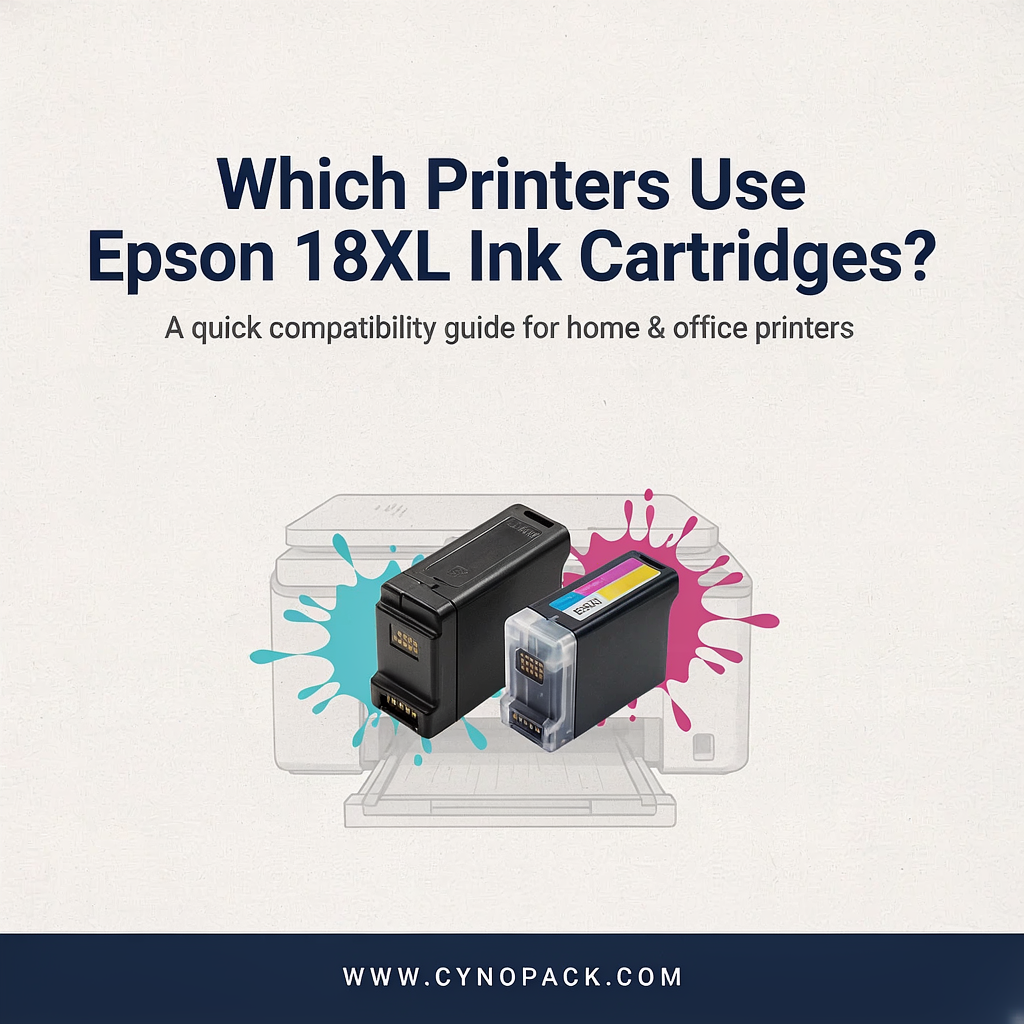
Buying replacement ink should be straightforward, but cartridge numbers, printer names and different capacity options can quickly make it confusing. If you have come across printers use Epson 18XL ink and are unsure whether it will fit your printer, this compatibility guide will help you choose the correct cartridges.
Printers Use Epson 18XL Ink Cartridges
Epson 18XL cartridges are designed for a specific group of Epson Expression Home printers. The range is commonly known as the Epson Daisy ink series and includes separate black, cyan, magenta and yellow cartridges.
Below, you will find the complete list of printers that use Epson 18XL ink, along with cartridge numbers, pack options and the difference between standard Epson 18 and high-capacity Epson 18XL cartridges.
What Is Epson 18XL Ink?
Epson 18XL is the high-capacity version of the standard Epson 18 cartridge range. Both versions fit the same compatible printers, but the XL cartridges contain more ink and are designed for people who print more regularly.
You may also see these cartridges described as:
- Epson Daisy ink cartridges
- Epson T18 ink
- Epson T1816 multipack
- Epson 18XL multipack
- Epson Expression Home ink
- T1811, T1812, T1813 and T1814 cartridges
The flower shown on the original Epson packaging is a daisy, which is why retailers and customers often refer to this family as the Daisy range.
Complete List of Printers That Use Epson 18XL Ink
The Epson 18XL range is compatible with the following Epson Expression Home printers:
- Epson Expression Home XP-30
- Epson Expression Home XP-102
- Epson Expression Home XP-202
- Epson Expression Home XP-205
- Epson Expression Home XP-212
- Epson Expression Home XP-215
- Epson Expression Home XP-225
- Epson Expression Home XP-302
- Epson Expression Home XP-305
- Epson Expression Home XP-315
- Epson Expression Home XP-322
- Epson Expression Home XP-325
- Epson Expression Home XP-402
- Epson Expression Home XP-405
- Epson Expression Home XP-405WH
- Epson Expression Home XP-412
- Epson Expression Home XP-415
- Epson Expression Home XP-422
- Epson Expression Home XP-425
This compatibility list is supported by Epson’s information for its 18XL Daisy cartridge range.
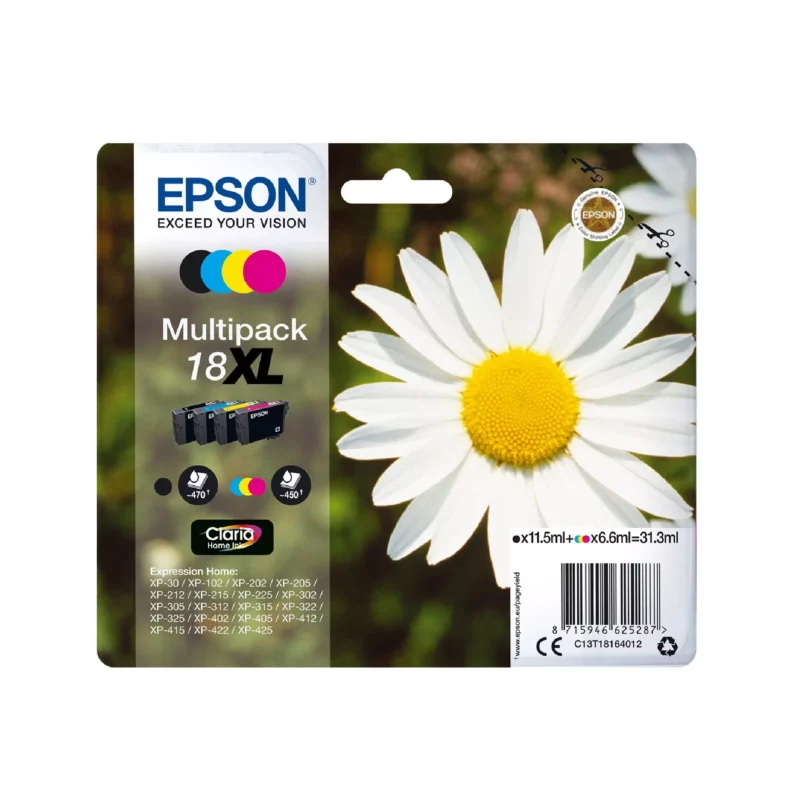
Always check the complete model number printed on the front or back of your printer before ordering. Epson uses similar model names across several cartridge families, so an XP-series printer does not automatically use Epson 18XL ink.
For example, Epson XP-102 and XP-202 printers use Epson 18 or 18XL cartridges, but newer Expression Home printers may require entirely different cartridge numbers.
Which Cartridge Numbers Do These Printers Use?
The Epson 18XL range consists of four separate colour cartridges. Each colour has its own cartridge number.
| Cartridge number | Ink colour | Pack type |
|---|---|---|
| T1811 | Black | Individual cartridge |
| T1812 | Cyan | Individual cartridge |
| T1813 | Magenta | Individual cartridge |
| T1814 | Yellow | Individual cartridge |
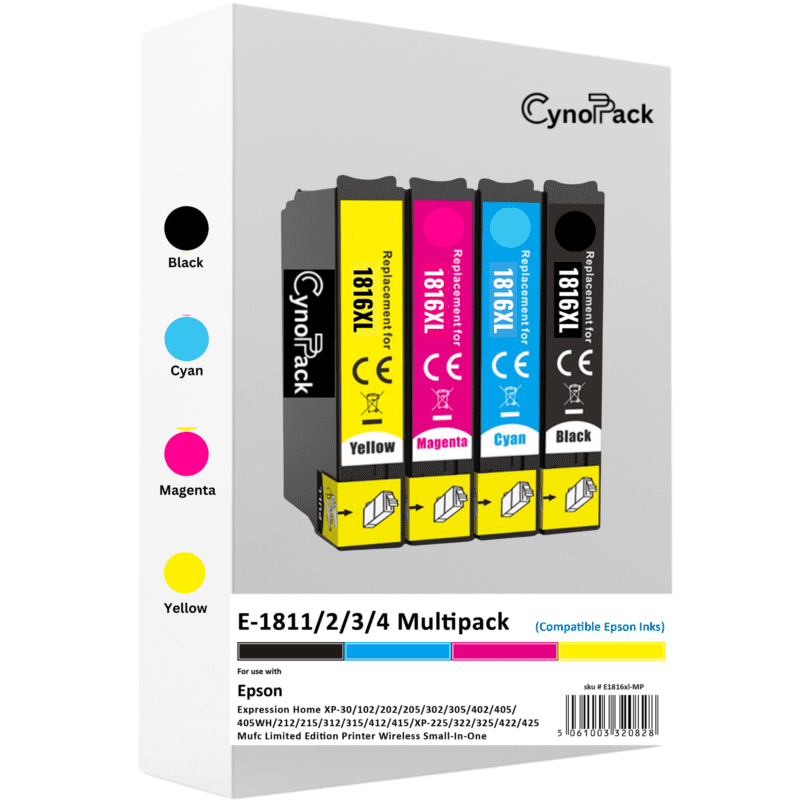
| T1816 | Black, cyan, magenta and yellow | Four-cartridge multipack |
The T1816 multipack is normally the most convenient choice when several colours are running low. It provides one complete set containing black, cyan, magenta and yellow.
If only one colour needs replacing, you can purchase T1811, T1812, T1813 or T1814 separately instead of changing the full set.
Cynopack offers a compatible Epson 18XL T1816 multipack containing all four high-capacity colours.
Epson 18 vs Epson 18XL: What Is the Difference?
The main difference between Epson 18 and Epson 18XL is ink capacity. Their physical compatibility is the same, which means a printer that accepts Epson 18 cartridges can also accept Epson 18XL cartridges.
Standard Epson 18 cartridges are suitable for occasional printing. The 18XL versions contain more ink, so they are usually a better option for households, students and home offices that print more frequently.
Epson publishes the following approximate specifications for its original cartridges:
| Original cartridge | Ink volume | Approximate page yield |
|---|---|---|
| Epson 18 black | 5.2ml | 175 pages |
| Epson 18 cyan | 3.3ml | 180 pages |
| Epson 18 magenta | 3.3ml | 180 pages |
| Epson 18 yellow | 3.3ml | 180 pages |
| Epson 18XL black | 11.5ml | 470 pages |
| Epson 18XL cyan | 6.6ml | 450 pages |
| Epson 18XL magenta | 6.6ml | 450 pages |
| Epson 18XL yellow | 6.6ml | 450 pages |
These figures relate to Epson’s original cartridges and should be treated as reference figures rather than a guarantee of how many pages every cartridge will print. Epson lists these volumes and estimated yields on its official 18XL product information.
Actual ink use depends on what you print, page coverage, printer settings, cleaning cycles and how frequently the printer is used. Colour photographs, for example, consume more ink than short text documents.
Compatible Epson 18XL Cartridge Capacity
Compatible cartridges may contain a different amount of ink from original Epson products, so it is important to check the seller’s specifications rather than relying only on Epson’s published figures.
The Cynopack compatible Epson 18XL multipack contains:
- 14.6ml of black ink
- 9.6ml of cyan ink
- 9.6ml of magenta ink
- 9.6ml of yellow ink
- 43.4ml of ink across the complete pack
This makes the multipack a practical option when you need to replace the complete set or want spare cartridges available at home.
The cartridges have a shelf life of up to two years when unopened and stored correctly. Keep them in their original packaging in a cool, dry place away from direct sunlight and extreme temperatures.
Does Epson 18XL Fit the Epson XP-102?
Yes, the Epson Expression Home XP-102 uses both Epson 18 and Epson 18XL cartridges. It can accept the four individual T1811–T1814 cartridges or the complete T1816 multipack.
If you own this particular model, visit the Epson XP-102 ink cartridge guide to compare the available pack and colour options.
The XP-102 is one of the older printers in the Expression Home range, but compatible replacement ink is still available. Before ordering, check that your printer label says XP-102, as similar Epson models can require a different ink family.
Can You Mix Epson 18 and Epson 18XL Cartridges?
In most cases, you can use standard Epson 18 and Epson 18XL cartridges together in the same compatible printer. For example, you might have an 18XL black cartridge installed alongside standard-capacity cyan, magenta and yellow cartridges.
The printer uses separate slots for each colour, so all four cartridges do not have to be replaced at the same time or have the same capacity.
However, every installed cartridge must be from the correct Epson 18 or 18XL family. Do not try to install a cartridge from another Epson range simply because it looks similar.
Can You Use Compatible Epson 18XL Ink?
Compatible Epson 18XL cartridges are made by third-party manufacturers for use in printers that accept the corresponding Epson cartridge numbers. They are not manufactured or endorsed by Epson.
A compatible cartridge can offer a more affordable option for everyday printing, provided you select the correct product for your printer. Check the printer model, cartridge number and retailer’s compatibility list before ordering.
When installing compatible ink:
- Switch on the printer.
- Open the cartridge access area.
- Wait for the cartridge holder to stop moving.
- Remove the empty cartridge.
- Take the new cartridge out of its packaging.
- Remove only the marked protective seal.
- Avoid touching the electronic chip or ink outlet.
- Insert the cartridge into the correct colour slot.
- Press it down until it clicks into place.
- Close the printer and allow it to complete its ink-charging process.
The exact procedure can vary slightly between models, so consult your printer manual if you are unsure.
What If an Epson 18XL Cartridge Is Not Recognised?
A cartridge-recognition message does not always mean the cartridge is faulty. It can appear when a cartridge is not fully seated, the protective strip has not been removed or the electronic contact is dirty.
Try these basic checks:
- Confirm that the cartridge number is correct.
- Check that it is installed in the matching colour slot.
- Remove any protective strip specified in the instructions.
- Take the cartridge out and reinstall it firmly.
- Avoid touching the electronic chip.
- Wipe the chip gently with a clean, dry, lint-free cloth.
- Switch the printer off and restart it.
Do not force a cartridge into the holder. If the warning continues after reinstalling it correctly, contact the retailer for further support or a replacement.
Where Can You Buy Epson 18XL Ink Cartridges?
You can browse individual colours and multipack options in Cynopack’s Epson 18 Ink Cartridges – Daisy range.
For most customers, the T1816 set is the easiest option because it includes all four colours in one purchase. If you use more black ink than colour, you may prefer to buy the multipack and keep an additional T1811 black cartridge available.
Cynopack provides free UK shipping, with orders dispatched within one working day using Royal Mail Tracked 48.
FAQs
Which printers take Epson 18XL cartridges?
Epson 18XL cartridges fit selected Expression Home models, ranging from the XP-30 and XP-102 to the XP-425. Check the complete compatibility list above before ordering.
Is Epson 18XL the same as Epson Daisy ink?
Yes. Daisy is the identifying flower used for the Epson 18 and Epson 18XL cartridge family.
What is the Epson 18XL multipack number?
The four-colour Epson 18XL multipack is commonly identified as T1816. It contains black, cyan, magenta and yellow cartridges.
Can I use 18XL instead of Epson 18?
Yes, provided your printer is listed as compatible with the Epson 18 family. The 18XL cartridges fit the same printers but contain more ink.
Are T1811 and T1816 the same?
No. T1811 identifies the individual black cartridge, while T1816 identifies a multipack containing black, cyan, magenta and yellow.
How long does Epson 18XL ink last?
This depends on print coverage, printer settings and frequency of use. Epson estimates up to 470 pages for its original 18XL black cartridge and up to 450 pages for each original 18XL colour cartridge. Compatible-cartridge yields may differ.
Which Epson 18XL option should I choose?
Choose the T1816 multipack if several colours are low or you want a complete spare set. Choose an individual T1811, T1812, T1813 or T1814 cartridge if you only need to replace one colour.
Final Compatibility Check
Before buying, confirm these three details:
- Your exact printer model appears in the compatibility list.
- The product is marked Epson 18 or Epson 18XL.
- The cartridge numbers match T1811, T1812, T1813, T1814 or T1816.
Taking a minute to check these details can prevent ordering the wrong ink. If your printer is one of the Epson Expression Home models listed in this guide, you can use standard Epson 18 or high-capacity Epson 18XL cartridges, including individual colours and the complete T1816 multipack.