
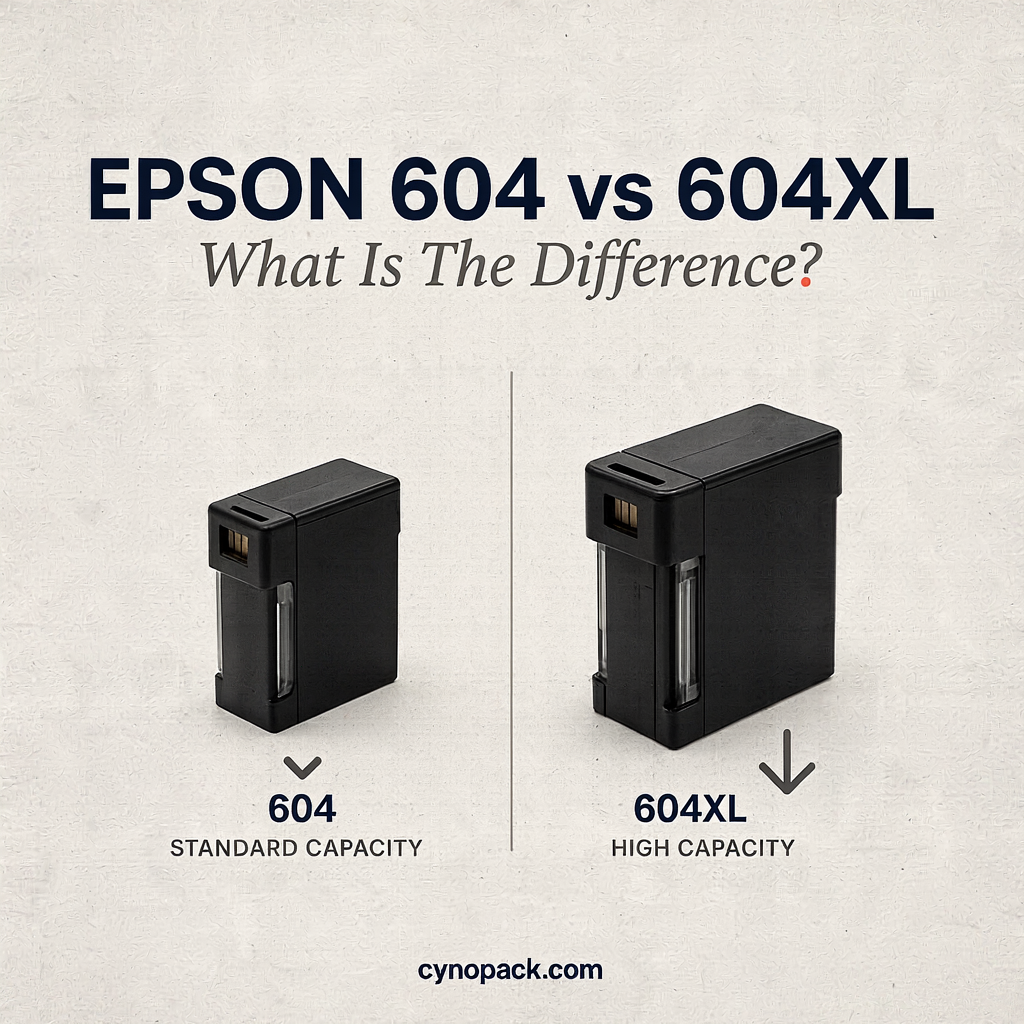
If you are comparing Epson 604 vs 604XL ink cartridges, the main difference is capacity. Both belong to Epson’s 604 “Pineapple” cartridge family and are designed for the same group of compatible Epson Expression Home and WorkForce printers. However, 604XL cartridges contain more ink and offer a higher estimated page yield.
Standard Epson 604 cartridges can suit occasional printing and normally cost less to buy initially. Epson 604XL cartridges are designed for people who print more regularly, want to replace cartridges less often or are looking for a lower cost per page.
This guide explains the differences in page yield, cartridge codes, compatibility, installation and value so that you can choose the right option for your printer.
Epson 604 vs 604XL
Epson 604 vs 604XL: Quick Comparison
| Feature | Epson 604 standard | Epson 604XL high capacity |
|---|---|---|
| Cartridge family | 604 Pineapple | 604XL Pineapple |
| Available colours | Black, cyan, magenta and yellow | Black, cyan, magenta and yellow |
| Approximate black yield | Up to 150 pages | Up to 500 pages for Cynopack compatible 604XL black |
| Approximate yield per colour | Up to 130 pages | Up to 350 pages per Cynopack compatible 604XL colour |
| Initial purchase cost | Usually lower | Usually higher |
| Replacement frequency | More frequent | Less frequent |
| Cost per page | Often higher | Often lower for regular users |
| Printer compatibility | Selected 604-family printers | The same selected 604-family printers |
| Best suited to | Occasional or low-volume printing | Regular home, study and office printing |
Page yields are estimates, not guaranteed totals. Actual results depend on page coverage, print settings, document type, cleaning cycles, printer condition and frequency of use.
What Is an Epson 604 Ink Cartridge?
Epson 604 is the standard-capacity version of the Pineapple cartridge family. It is available in four separate colours:
- Black
- Cyan
- Magenta
- Yellow
The standard cartridges are intended for selected Epson Expression Home and WorkForce printers. Epson quotes yields of up to approximately 150 pages for the standard black cartridge and 130 pages for each standard colour cartridge under the applicable testing method.
Standard 604 cartridges may be suitable if you print only occasionally, need the lowest immediate purchase price or want to replace a colour that you rarely use. Because each colour is separate, you can replace only the cartridge that the printer reports as empty.
What Is an Epson 604XL Ink Cartridge?
Epson 604XL is the high-capacity version of the same Pineapple family. The “XL” refers to the amount of usable ink and expected page yield; it does not mean that it fits a wider range of printers.
Cynopack’s compatible 604XL range offers estimated yields of:
- Up to 500 pages from the black cartridge
- Up to 350 pages from each cyan, magenta or yellow cartridge
That makes 604XL a practical choice for regular document printing, homework, coursework and home-office use. A higher yield means fewer cartridge changes and may produce a lower cost per page, although the XL cartridge normally has a higher upfront price.
Browse Cynopack compatible Epson 604XL Pineapple ink cartridges.
How Much More Does Epson 604XL Print?
Using the stated yields above, the difference is substantial:
- The 604XL black cartridge offers more than three times the estimated yield of standard 604 black.
- Each 604XL colour offers more than two-and-a-half times the estimated yield of the corresponding standard 604 colour.
These comparisons are useful for planning, but they do not predict exactly how many pages you will print. A page containing a few lines of text uses much less ink than a full-page photograph. Borderless printing, high-quality settings and printhead-cleaning cycles can also reduce the number of printed pages obtained from a cartridge.
You may see slightly different figures on different Epson packages or retailer listings. This can occur because products, pack formats and test descriptions differ. When buying a Cynopack compatible cartridge, use the yield stated on that specific Cynopack product page rather than assuming that every 604XL product has an identical specification.
Do Epson 604 and 604XL Fit the Same Printers?
Yes. Standard 604 and high-capacity 604XL cartridges are intended for the same supported 604-family printers.
| Printer range | Compatible models |
|---|---|
| Epson Expression Home | XP-2200, XP-2205, XP-3200, XP-3205, XP-4200 and XP-4205 |
| Epson WorkForce | WF-2910DWF, WF-2930DWF, WF-2935DWF and WF-2950DWF |
Always check the complete model number on the front, rear or underside of the printer before ordering. Similar model names do not guarantee compatibility. For example, Epson 603XL and Epson 604XL cartridges are different families and are not interchangeable.
For a model-by-model list, read Which Printers Use Epson 604XL Ink Cartridges?.
Publishing note: Keep the compatibility-guide title as plain text until that article is live, then activate the link above.
Epson 604 and 604XL Cartridge Codes
Checking the cartridge code is one of the safest ways to avoid ordering the wrong ink.
| Colour | Standard 604 short code | Standard reference | 604XL short code | 604XL reference |
|---|---|---|---|---|
| Black | T10G1 | C13T10G14010 | T10H1 | C13T10H14010 |
| Cyan | T10G2 | C13T10G24010 | T10H2 | C13T10H24010 |
| Magenta | T10G3 | C13T10G34010 | T10H3 | C13T10H34010 |
| Yellow | T10G4 | C13T10G44010 | T10H4 | C13T10H44010 |
| Four-colour multipack | T10G6 | Pack reference can vary by format | T10H6 | C13T10H64510 on the relevant multipack format |
Codes can be presented differently on boxes, cartridges and retailer listings. Confirm both the 604 or 604XL family and your exact printer model rather than relying on one part of the label alone.
Is 604XL Physically Bigger Than 604?
Not necessarily. “XL” describes the higher ink capacity, not a requirement for a larger cartridge slot. Standard 604 and 604XL cartridges are designed to fit the same positions in supported printers.
Do not select a cartridge by appearance alone. Products from different Epson families may look similar while using different fittings or electronic chips. The family number, colour and printer compatibility list are more reliable checks.
Can You Mix Epson 604 and 604XL Cartridges?
In supported printers, standard and XL cartridges from the same 604 Pineapple family can generally be used together. For example, you might install a 604XL black cartridge for frequent text printing while continuing to use standard 604 cyan, magenta and yellow cartridges.
Each installed cartridge must:
- Belong to the 604 or 604XL Pineapple family
- Be suitable for the exact printer model
- Be installed in its matching colour position
- Be correctly seated and recognised by the printer
Do not mix Epson 604 cartridges with Epson 603, 603XL or another cartridge family. The similar numbers do not make them compatible.
Is Epson 604XL Better Value Than Standard 604?
For customers who print regularly, 604XL will often provide better value per page because the increase in yield can be greater than the increase in purchase price. It can also reduce the inconvenience of replacing cartridges frequently.
To compare value, use this simple calculation:
Cartridge price ÷ stated page yield = estimated cost per page
For example, divide the current price of a black cartridge by its stated black-page yield. Compare products using like-for-like yield figures and remember that real printing conditions will affect the result.
The cheapest cartridge at checkout is not always the cheapest cartridge to use. However, standard 604 can still be the sensible choice if you print very little and want to minimise immediate spending.
Which Cartridge Should You Choose?
Choose standard Epson 604 if:
- You print only occasionally
- Your monthly page volume is low
- You want a lower initial purchase price
- A colour is used so rarely that a high-capacity cartridge is unnecessary
Choose Epson 604XL if:
- You print documents every week
- Several people use the printer
- You print homework, coursework or business paperwork
- You want fewer cartridge changes
- You want to reduce the estimated cost per page
- You prefer to keep a higher-capacity spare set available
For many households and home offices, the practical combination is 604XL black—because text printing uses black frequently—plus standard or XL colours according to colour-printing volume.
Individual 604XL Colours or a Multipack?
Buy an individual cartridge when only one colour needs replacing. Cynopack offers:
- Compatible Epson 604XL black ink cartridge
- Compatible Epson 604XL cyan ink cartridge
- Compatible Epson 604XL magenta ink cartridge
- Compatible Epson 604XL yellow ink cartridge
Choose the compatible Epson 604XL four-colour multipack when several colours are low, you want a complete replacement set or you would like spare ink ready for future use.
Check the pack contents before ordering. A four-colour multipack should include one black, one cyan, one magenta and one yellow cartridge.
Are Compatible 604XL Cartridges the Same as Genuine Epson Cartridges?
No. A compatible cartridge is produced by a third-party manufacturer for use with selected printers. A genuine Epson cartridge is manufactured or supplied under the Epson brand.
Cynopack compatible 604XL cartridges are not manufactured, sponsored or endorsed by Epson. Epson names, printer models and cartridge references are used to identify compatibility.
The most important purchasing checks are:
- The cartridge family is 604XL Pineapple.
- Your complete printer model appears in the compatibility list.
- The colour or pack contents match what you need.
- The product’s stated capacity or yield meets your printing requirements.
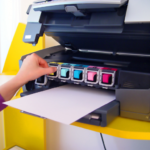
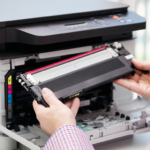
How to Install Epson 604 or 604XL Cartridges
The installation process is the same for standard and XL cartridges:
- Switch on the printer.
- Open the scanner unit or cartridge-access area as described in the printer manual.
- Use the printer’s cartridge-replacement control or maintenance command to move the holder into position.
- Wait until the holder stops moving.
- Press the tab on the cartridge being replaced and lift it out.
- Unpack the new 604 or 604XL cartridge.
- Remove only the protective material specified in its instructions.
- Avoid touching the chip or ink outlet.
- Insert the cartridge into the matching colour slot and press it down until it clicks.
- Close the printer and allow the ink-charging process to finish.
Do not move the cartridge holder by hand or switch off the printer while ink charging is in progress. Exact button sequences vary by model, so consult the printer’s user guide where necessary.
What If a 604XL Cartridge Is Not Recognised?
If the printer reports that a cartridge is missing, incorrect or unrecognised:
- Confirm that the cartridge is 604 or 604XL—not 603XL or another similar family.
- Check that the exact printer model is listed as compatible.
- Confirm that the cartridge is in the correct colour slot.
- Make sure the required protective strip has been removed.
- Remove the cartridge and reinstall it firmly so it sits level with the others.
- Inspect the electronic chip for dirt, fingerprints or visible damage.
- Close the printer and allow it to complete its checks.
- If necessary, switch the printer off using its power button, wait briefly and restart it.
Do not force a cartridge into place, scrape its chip or attempt an unofficial firmware downgrade. If a new Cynopack cartridge remains unrecognised, contact customer support with your order number, printer model, affected colour and the exact error message.
How Long Can Unopened 604XL Ink Be Stored?
Cynopack’s unopened compatible cartridges have a shelf life of up to two years when stored correctly. Keep them sealed in their original packaging, upright where indicated, and in a cool, dry place away from direct sunlight, moisture and extreme temperatures.
Do not open a cartridge until you are ready to install it. If it has been stored in a cold location, allow it to reach normal room temperature before use.
Frequently Asked Questions
What is the main difference between Epson 604 and 604XL?
The main difference is capacity and estimated page yield. Both fit the same supported printers, but 604XL is designed to print more pages before replacement.
Does 604XL print better than standard 604?
XL refers to capacity, not a different print-quality setting. Print quality also depends on the cartridge, printer condition, paper, document and settings. The main benefit of 604XL is a higher estimated yield.
How many pages does an Epson 604 cartridge print?
Standard Epson 604 cartridges are rated at up to approximately 150 black pages and 130 pages per colour under applicable test conditions. Actual yield varies.
How many pages does a compatible Epson 604XL cartridge print?
Cynopack’s compatible 604XL cartridges are listed at up to 500 black pages and up to 350 pages per colour cartridge. Check the individual product listing before ordering.
Are Epson 604 and 604XL interchangeable?
They are two capacities within the same family and fit the same supported 604-family printers. They are not interchangeable with 603XL or unrelated cartridge ranges.
Can I use 604XL in an Epson XP-2200?
Yes. The Epson Expression Home XP-2200 is one of the supported 604 and 604XL printer models.
Can I use 604XL in an Epson WorkForce printer?
Yes, but only in supported models: WF-2910DWF, WF-2930DWF, WF-2935DWF and WF-2950DWF. Do not assume that every WorkForce printer accepts this cartridge family.
Can I use a 604XL black cartridge with standard 604 colours?
Generally, yes, provided every cartridge belongs to the correct 604 Pineapple family and is compatible with your exact printer.
Does XL mean the cartridge is physically larger?
Not necessarily. XL indicates higher ink capacity. Standard and XL versions are designed for the same cartridge slots in supported printers.
Is Epson 604XL cheaper per page?
It is often more economical per page for regular printing, although it costs more initially. Divide the current cartridge price by its stated yield to make a like-for-like comparison.
Should I buy individual cartridges or a multipack?
Choose an individual cartridge when one colour is empty. A multipack may be more convenient when several colours are low or when you want a complete spare set.
Why does my printer still show ink after requesting a replacement?
Printers estimate usage electronically and may retain a small reserve to protect the printing system. Visible residual ink does not necessarily mean the cartridge can continue printing normally.
Are Cynopack 604XL cartridges made by Epson?
No. They are third-party compatible cartridges designed for the listed Epson printers. They are not manufactured, sponsored or endorsed by Epson.
Final Verdict: Epson 604 or 604XL?
For occasional printing and the lowest immediate cost, standard Epson 604 may be sufficient. For regular home, student or office printing, 604XL is usually the more practical option because it offers a much higher estimated page yield, requires fewer replacements and can reduce cost per page.
Whichever capacity you choose, confirm the Pineapple family, complete printer model, colour and cartridge code before ordering. If you want high-capacity replacements, shop Cynopack’s compatible Epson 604XL ink cartridges.